
Decide where your money goes up front — so when you want something, you already know you can afford it.
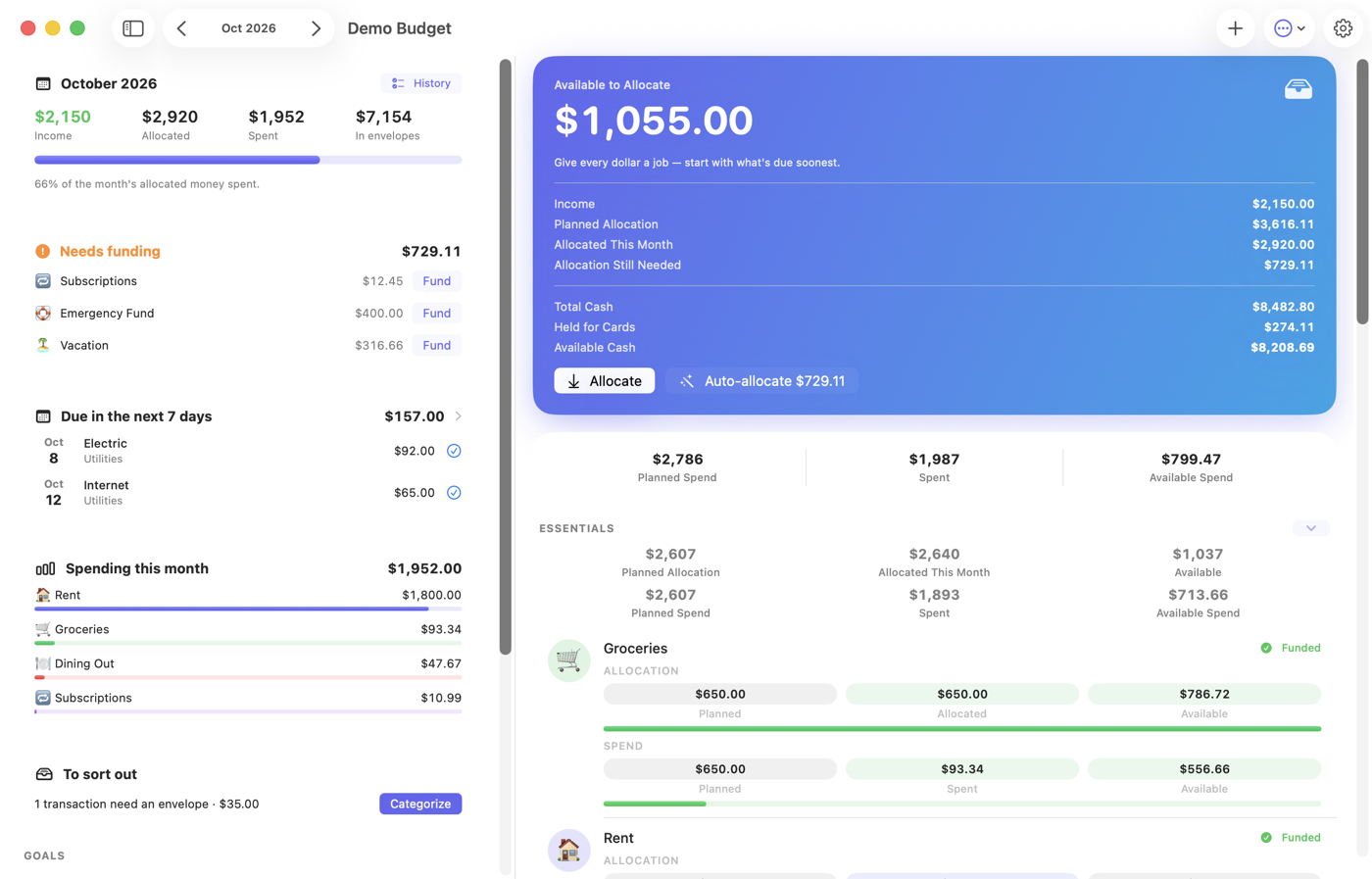
The flip
Nobody wants to budget. A budget is a diet for money — a list of things you're not allowed to do, kept by an app that frowns at you. Afford flips it: you decide, ahead of time, where you want your money to go. The rent, yes — but also the trip, the concert, the good coffee. Then, when you spend on those things, Afford's job is to say yes — instantly, and with receipts. The money was set aside for exactly this. Buying it isn't a slip; it's the plan working.
How it works
Give every dollar a job. New income lands Available to Allocate; you point it at envelopes — $600 toward Groceries, $250 toward Dining Out, some toward the trip.
Every envelope shows what's Available: money already waiting for exactly this. What's allocated for rent can't be spent on takeout by accident.
So the answer to "can I afford this?" is instant — and usually yes. Spend freely, on purpose, and feel good about it.
The Plan tab is home base: what's Available to Allocate, what your plan calls for this month, and every envelope with its own Available balance. One tap on Auto-allocate funds everything your plan still needs.
How allocating works →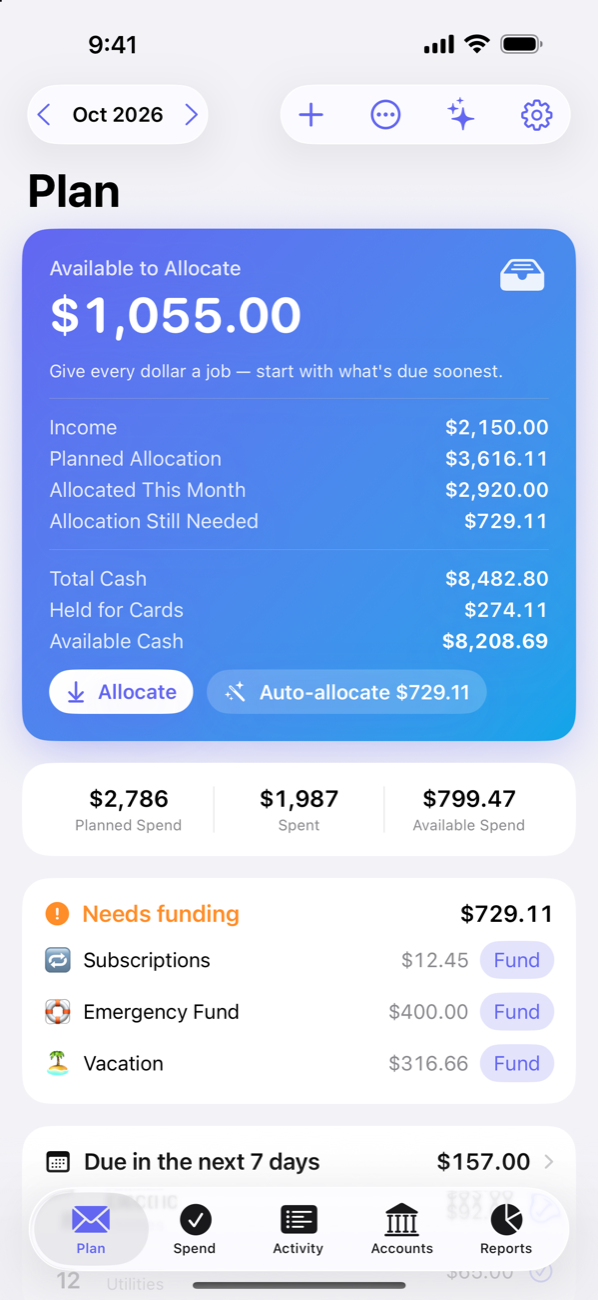
Available to Spend answers the only question that matters, envelope by envelope: what you planned, what you've spent, and what's available right now — plus the extra sitting in savings if you ever need it.
Can I afford it? →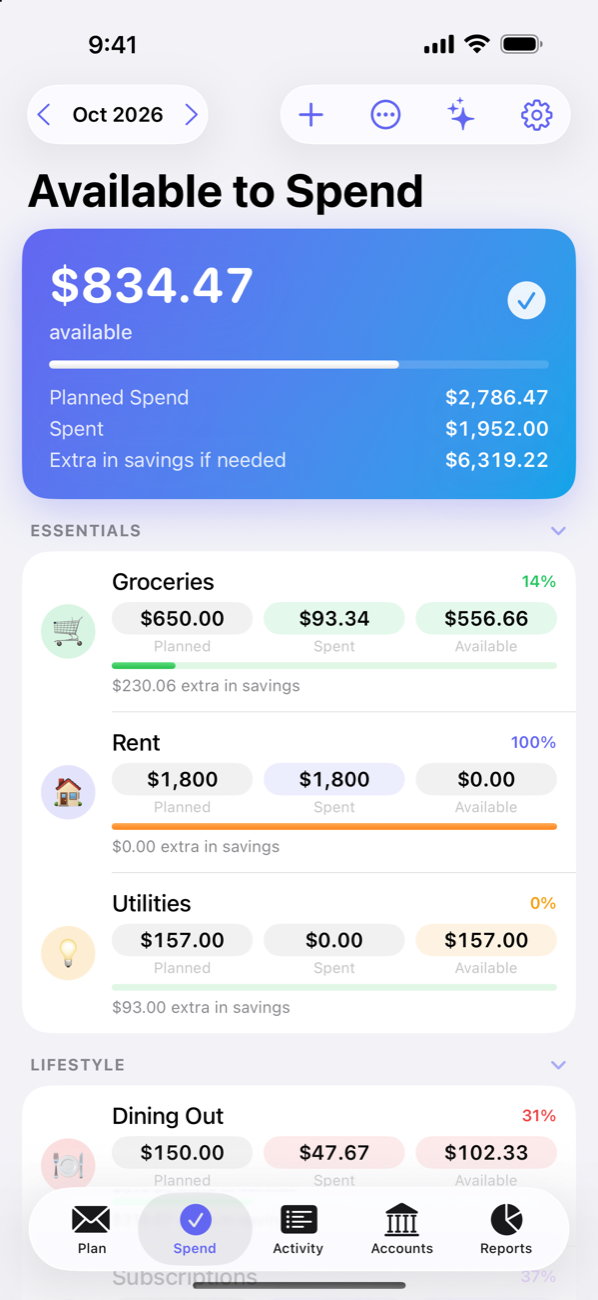
Buy something on a credit card and Afford quietly moves that money into the card's payment envelope. When the statement arrives, the payment is already set aside — no scramble, no surprise.
Credit cards, handled →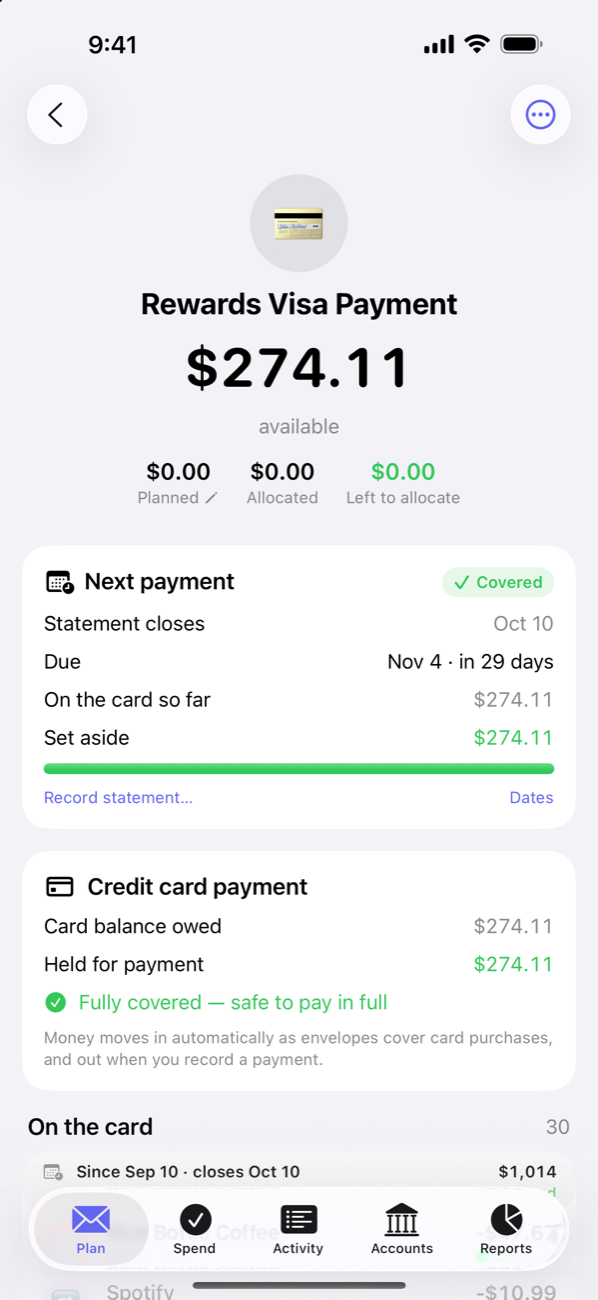
Meet Penny, with Afford Pro. Ask where your money goes, have her categorize a month of transactions, draft a starter plan from your history, or allocate money for you. She runs right on your iPhone, iPad or Mac with Apple Intelligence or a downloadable on-device model, so your finances stay with you. Want a bigger model? Bring your own key for an online service, or point her at your own server — only if you choose to.
Setting up the assistant →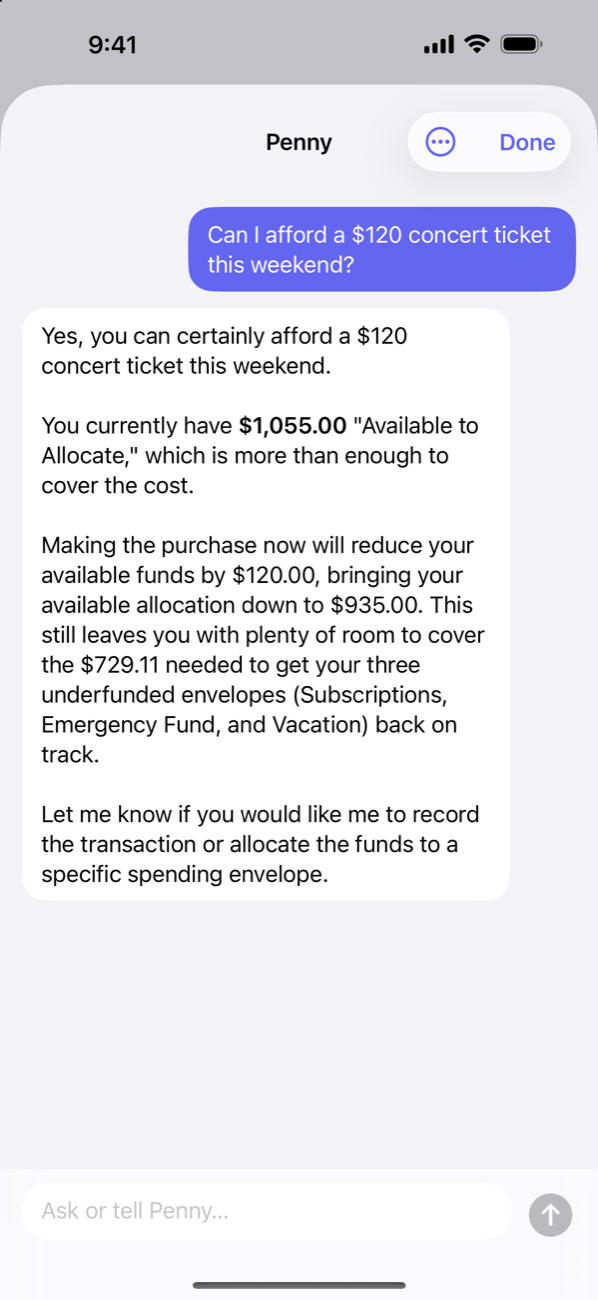
With Afford Pro, SimpleFIN sync pulls transactions straight from your banks. Tips that settle for more than the pending hold, duplicate pendings, transfers and card payments reconcile themselves — and anything genuinely ambiguous is flagged for a one-tap review. No bank link? Add a purchase with + from Plan or Spend, pick from your usual payees, and let recurring bills record themselves.
Connect your bank → Track by hand →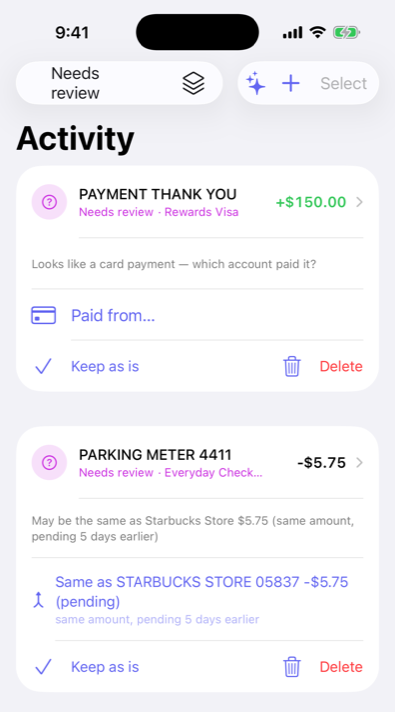
When it goes sideways — and some months it will — Afford shows the hole plainly and builds a concrete plan to cover it, one tap to apply. No shame. Just a fix.
Back on track →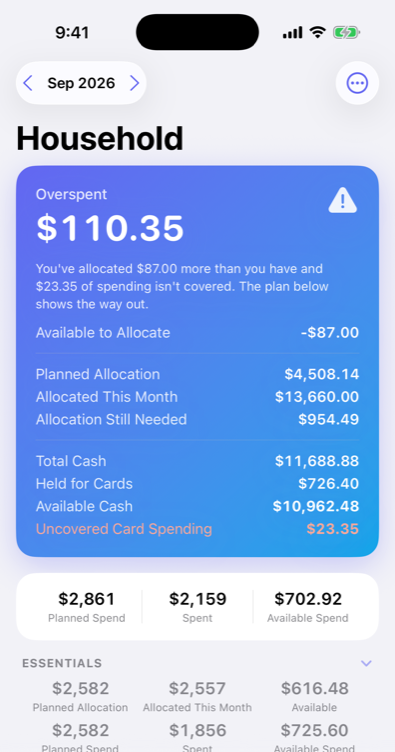
Also in the envelope
List what's due and when; Afford works out the smallest monthly amount that keeps every payment covered — and catches you up if you're behind. Bills can even record their own payment on the due date.
Share a plan with your family through iCloud — same envelopes, everyone's devices, private to you. (Starting a share takes Afford Pro; joining one doesn't.)
Spending by envelope, income vs. spending, and savings goals — for the month, three months, or the year to date.
No accounts, no servers. Your data lives on your devices and your own iCloud — and the assistant runs on the device too, unless you choose an online model.
Save toward Hawaii and the ski weekend inside one Vacation envelope, each with its own pace and date.
Import from Actual Budget, export everything as JSON any time. Your data is yours.
On first launch, Afford opens a demo budget full of sample data with a one-minute guided tour. Nothing in it is saved; set up your own whenever you're ready.
One plan across all your Apple devices, kept in sync through your own iCloud. The month you pick follows you from section to section.
One plan, up to 10 envelopes, manual accounts and transactions, and iCloud sync — free, with no ads. Afford Pro adds unlimited plans and envelopes, bank sync, family sharing and Penny.
Then spend it — on the things that matter to you, when you want to, knowing you can afford it.
Get started with Afford